
Best Gaming Laptops Under $1000 in 2026 – Top 10 Picks
Gaming laptops used to cost $1,500 or more. But in 2026, you can get a powerful gaming laptop for under $1000. These machines can run Fortnite, Call of Duty, GTA V, and even Cyberpunk 2077 at playable settings.
In this guide, we will review the top 10 gaming laptops under $1000. We will cover specs, pros, cons, and who should buy each one.
What to Look for in a Gaming Laptop Under $1000
Before we get into the list, here are the key features you should look for:
- Graphics Card (GPU): Look for at least NVIDIA RTX 3050 or RTX 4050. Avoid Intel integrated graphics or MX series cards. They are not for gaming.
- Processor (CPU): Intel i5 or AMD Ryzen 5 is the minimum. i7 or Ryzen 7 is better but may exceed budget.
- RAM: 16GB is recommended. 8GB is okay for older games but will struggle with new titles.
- Storage: 512GB SSD minimum. Avoid HDD drives because they are very slow.
- Display: 1080p resolution with 120Hz or 144Hz refresh rate. Higher refresh rate makes games look smoother.
- Battery Life: Gaming laptops typically last 4-6 hours. Don't expect all-day battery.
Now let's look at the best options available in 2026.
Top 10 Gaming Laptops Under $1000
- Acer Nitro 5 (Best Overall)
Price: $850-950
Specs: Intel i5-13500H, RTX 3050, 16GB RAM, 512GB SSD, 15.6-inch 144Hz
Pros: Great value, good cooling, upgradeable RAM and storage
Cons: Average battery life, plastic build
The Acer Nitro 5 is the most popular budget gaming laptop for a reason. It offers balanced performance, decent build quality, and good cooling. You can play most games at medium to high settings.
- HP Victus 15 (Best Display)
Price: $800-900
Specs: AMD Ryzen 5 7535HS, RTX 3050, 16GB RAM, 512GB SSD, 15.6-inch 144Hz
Pros: Clean design, great screen, quiet fans
Cons: Only 8GB RAM in base model (upgrade recommended)
The HP Victus 15 looks like a normal laptop but performs like a gaming machine. The display is bright and colorful. It's a great choice if you want a laptop that doesn't scream "gamer."
- Lenovo IdeaPad Gaming 3 (Best Build Quality)
Price: $800-880
Specs: AMD Ryzen 5 7535HS, RTX 3050, 16GB RAM, 512GB SSD, 15.6-inch 120Hz
Pros: Sturdy build, good keyboard, reliable brand
Cons: Heavier than competitors
Lenovo is known for making durable laptops. The IdeaPad Gaming 3 feels solid and can handle daily travel. The keyboard is comfortable for long gaming sessions.
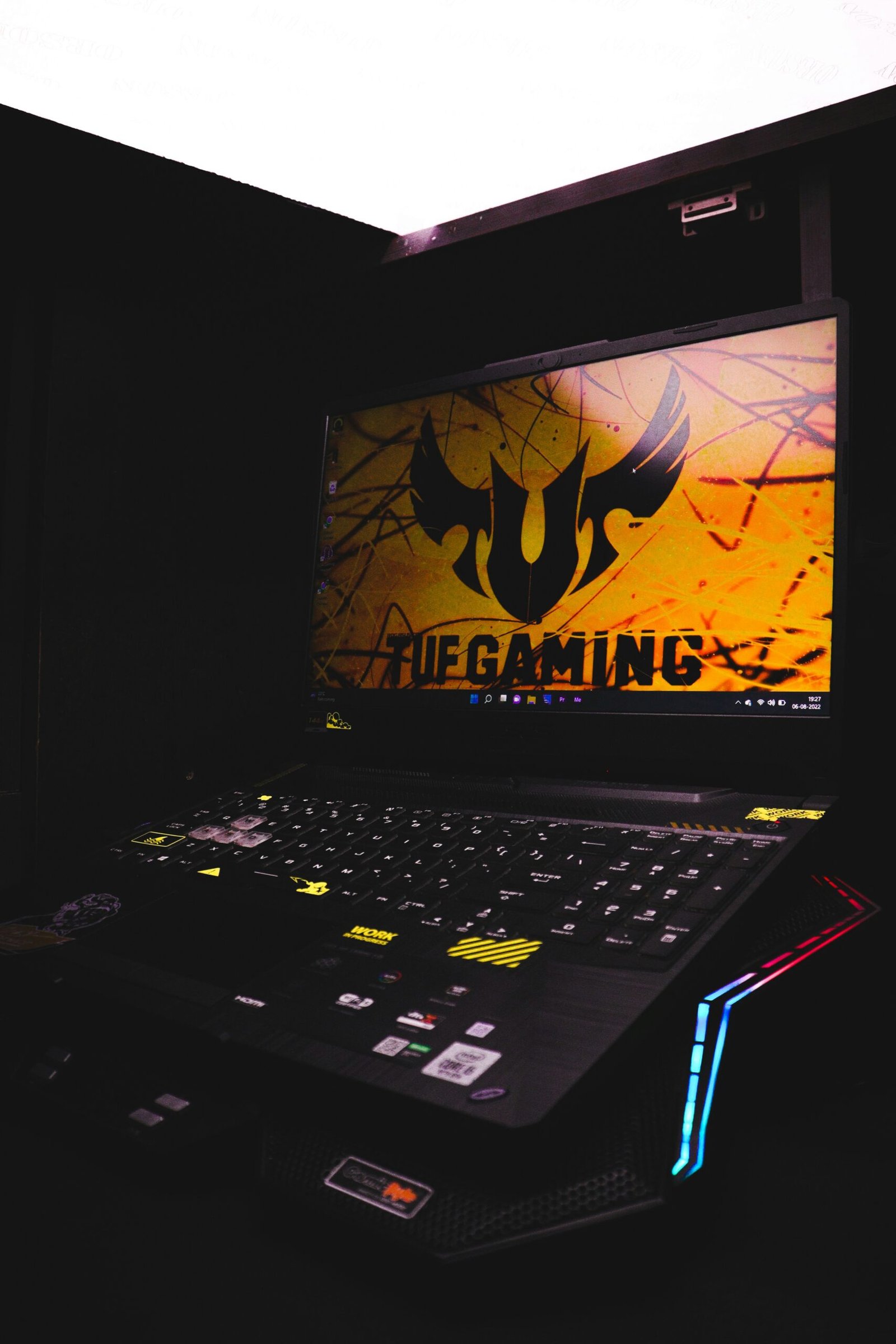
- ASUS TUF Gaming F15 (Best Cooling)
Price: $900-1000
Specs: Intel i5-12500H, RTX 3050, 16GB RAM, 512GB SSD, 15.6-inch 144Hz
Pros: Military-grade durability, excellent cooling system
Cons: Slightly heavy, fan noise under load
ASUS TUF series is built for tough conditions. The cooling system keeps the laptop running cool even during intense gaming. This laptop will last you many years.
- Dell G15 (Best Performance)
Price: $850-980
Specs: Intel i5-13450HX, RTX 3050, 16GB RAM, 512GB SSD, 15.6-inch 120Hz
Pros: Powerful processor, good thermals, Alienware software
Cons: Heavy, boring design
The Dell G15 has a desktop-class processor that beats many competitors. If raw performance is your priority, this is a strong choice. The design is simple and professional.
- MSI GF63 Thin (Most Portable)
Price: $750-850
Specs: Intel i5-12450H, RTX 3050, 8GB RAM, 512GB SSD, 15.6-inch 144Hz
Pros: Lightweight, thin design, good value
Cons: Only 8GB RAM, average battery
The MSI GF63 Thin is one of the lightest gaming laptops under $1000. It weighs only 4.1 pounds. This is great for students who carry their laptop to class.
- Gateway 15.6" Gaming Laptop (Best Budget)
Price: $600-700
Specs: Intel i5-11400H, RTX 3050, 16GB RAM, 512GB SSD, 15.6-inch 120Hz
Pros: Very affordable, good specs for price
Cons: Plastic build, average screen
Gateway made a comeback with this budget gaming laptop. For under $700, you get RTX graphics and 16GB RAM. This is the best choice if your budget is tight.
- ASUS TUF Dash F15 (Best Battery Life)
Price: $950-1050 (often on sale for $999)
Specs: Intel i7-12650H, RTX 3060, 16GB RAM, 512GB SSD, 15.6-inch 144Hz
Pros: Long battery life (up to 8 hours), thin design
Cons: Slightly over budget, lower GPU power
Most gaming laptops have poor battery life. The ASUS TUF Dash F15 can last 7-8 hours on a single charge for regular tasks. Gaming will still drain it faster.
- Acer Aspire 7 (Best for Students)
Price: $650-750
Specs: AMD Ryzen 5 5500U, GTX 1650, 8GB RAM, 512GB SSD, 15.6-inch 60Hz
Pros: Very affordable, professional look, good for school
Cons: Older GPU, 60Hz display, 8GB RAM
The Acer Aspire 7 looks like a business laptop. Teachers won't know it can play games. It's best for esports titles like Valorant, League of Legends, and CS2.
- Lenovo LOQ 15 (Best Newcomer)
Price: $880-980
Specs: AMD Ryzen 5 7640HS, RTX 3050, 16GB RAM, 512GB SSD, 15.6-inch 144Hz
Pros: Modern processor, good build, great value
Cons: New model, fewer reviews
The Lenovo LOQ series replaces the older IdeaPad Gaming line. It has modern processors and better build quality. This is a great all-around choice.
Comparison Table
| Laptop | Price | GPU | RAM | Display | Best For |
|---|---|---|---|---|---|
| Acer Nitro 5 | $850-950 | RTX 3050 | 16GB | 144Hz | Best Overall |
| HP Victus 15 | $800-900 | RTX 3050 | 8-16GB | 144Hz | Best Display |
| Lenovo IdeaPad 3 | $800-880 | RTX 3050 | 16GB | 120Hz | Best Build |
| ASUS TUF F15 | $900-1000 | RTX 3050 | 16GB | 144Hz | Best Cooling |
| Dell G15 | $850-980 | RTX 3050 | 16GB | 120Hz | Best Performance |
| MSI GF63 | $750-850 | RTX 3050 | 8GB | 144Hz | Most Portable |
| Gateway | $600-700 | RTX 3050 | 16GB | 120Hz | Best Budget |
| ASUS TUF Dash | $950-1050 | RTX 3060 | 16GB | 144Hz | Best Battery |
| Acer Aspire 7 | $650-750 | GTX 1650 | 8GB | 60Hz | Best for Students |
| Lenovo LOQ | $880-980 | RTX 3050 | 16GB | 144Hz | Best Newcomer |
What Games Can You Play?
With these laptops, here is the expected performance:
- Fortnite: 90-120 FPS on medium settings
- Call of Duty Warzone: 60-80 FPS on low-medium
- GTA V: 80-100 FPS on high settings
- Minecraft: 200+ FPS on high settings
- Valorant: 150+ FPS on high settings
- Cyberpunk 2077: 40-50 FPS on low settings (playable)
- Red Dead Redemption 2: 40-50 FPS on low settings
Frequently Asked Questions
Can I upgrade RAM and storage later?
Yes, most gaming laptops allow you to add more RAM and a second SSD. Acer Nitro 5 and Lenovo IdeaPad Gaming 3 are very upgradeable.
Is RTX 3050 enough for gaming in 2026?
Yes, for 1080p gaming. You can play most games at medium settings. For high settings and future games, consider RTX 4050 or RTX 3060.
Should I buy now or wait for a sale?
The best times to buy are back-to-school (July-August), Black Friday (November), and Amazon Prime Day. If you need a laptop now, buy now.
Which brand is most reliable?
Lenovo and ASUS are known for reliability. Acer and HP offer good value but may have more quality issues.
Conclusion
You don't need to spend $2,000 to enjoy PC gaming. Any laptop on this list will give you a great gaming experience. If you have $900, buy the Acer Nitro 5. If you have $700, buy the Gateway. If battery life matters most, buy the ASUS TUF Dash F15.
Choose based on your budget and priorities. Happy gaming!